Snog's Audio Manager
A downloadable asset pack
Audio in Unity has a way of becoming a problem you don't notice until it's too late — magic strings scattered through fifty scripts, AudioSource components on every prefab, and ambient sound that either loops from a single point in space or requires a custom system to do anything interesting.
Snog's Audio Manager is the reusable foundation I kept rebuilding every project. Now it's a package you can drop in and actually own.
How it works
Point it at your audio folder and run Scan → Generate → Assign. It reads your clips, figures out what's music, what's ambient, and what's SFX (by folder name, filename hints, and clip length), creates all your ScriptableObject assets, and populates the libraries. It also generates a static AudioNames.cs file so every sound in your project has a named constant with autocomplete. No more typos that fail silently at runtime.
From there:
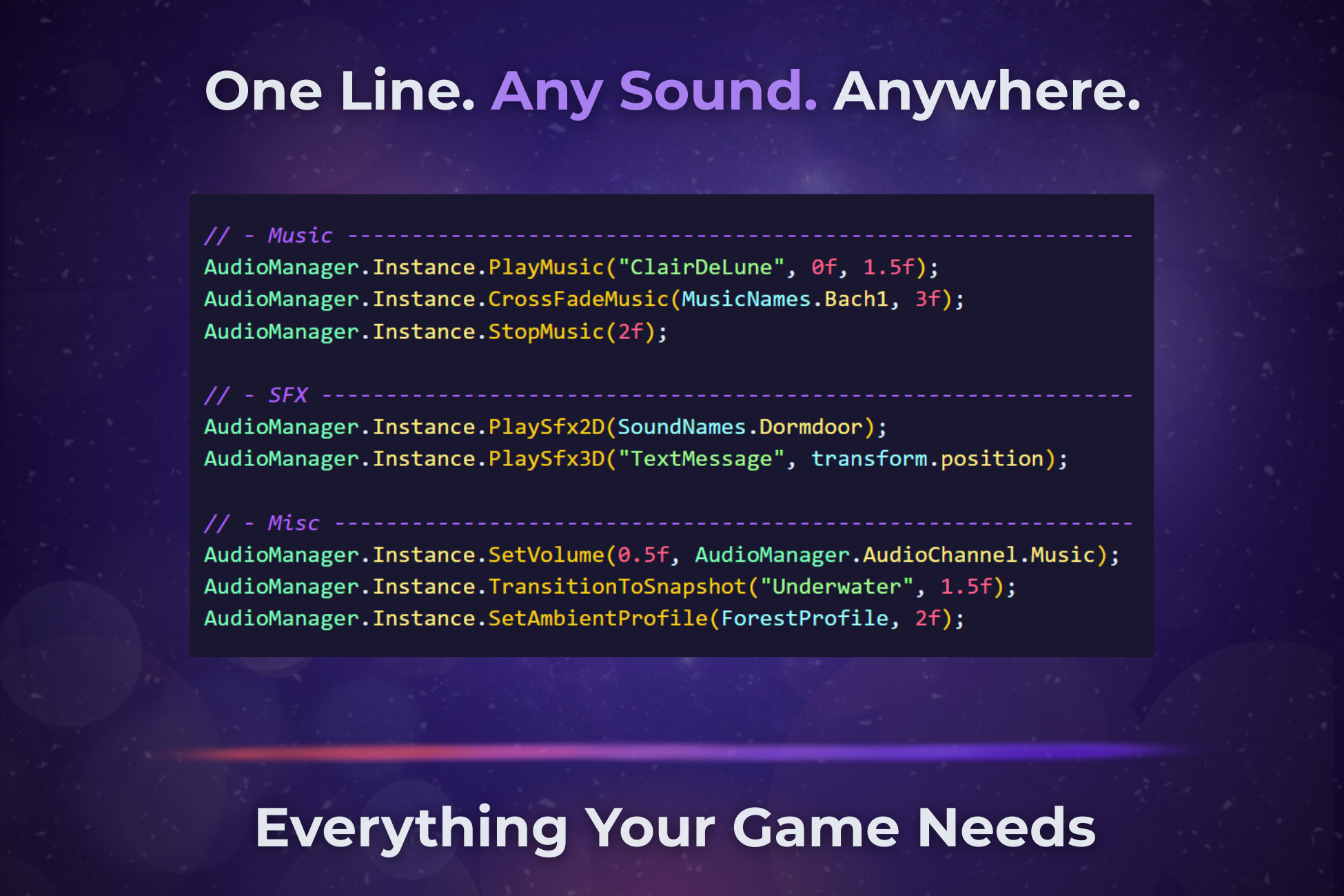
AudioManager.Instance.PlaySfx2D(SoundNames.ButtonClick);
AudioManager.Instance.PlaySfx3D(SoundNames.Footstep, transform.position);
AudioManager.Instance.CrossFadeMusic(MusicNames.CombatLoop, crossFadeDuration: 1.5f);
That's the whole API for 90% of use cases. Named, typed, refactor-safe.
The ambience system is the interesting part
Most audio managers treat ambience as "play this loop." Snog's approach is closer to how real games handle it.
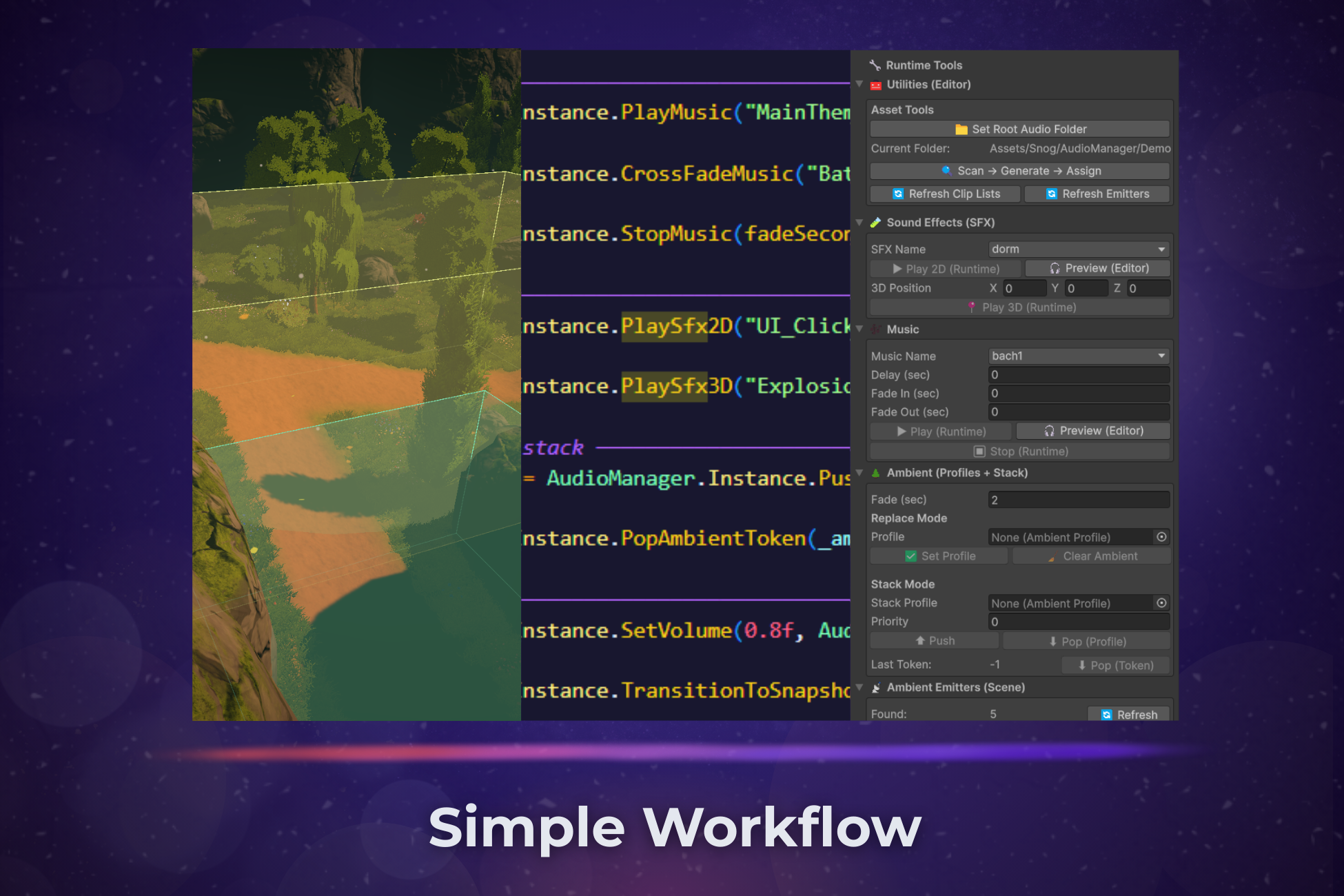
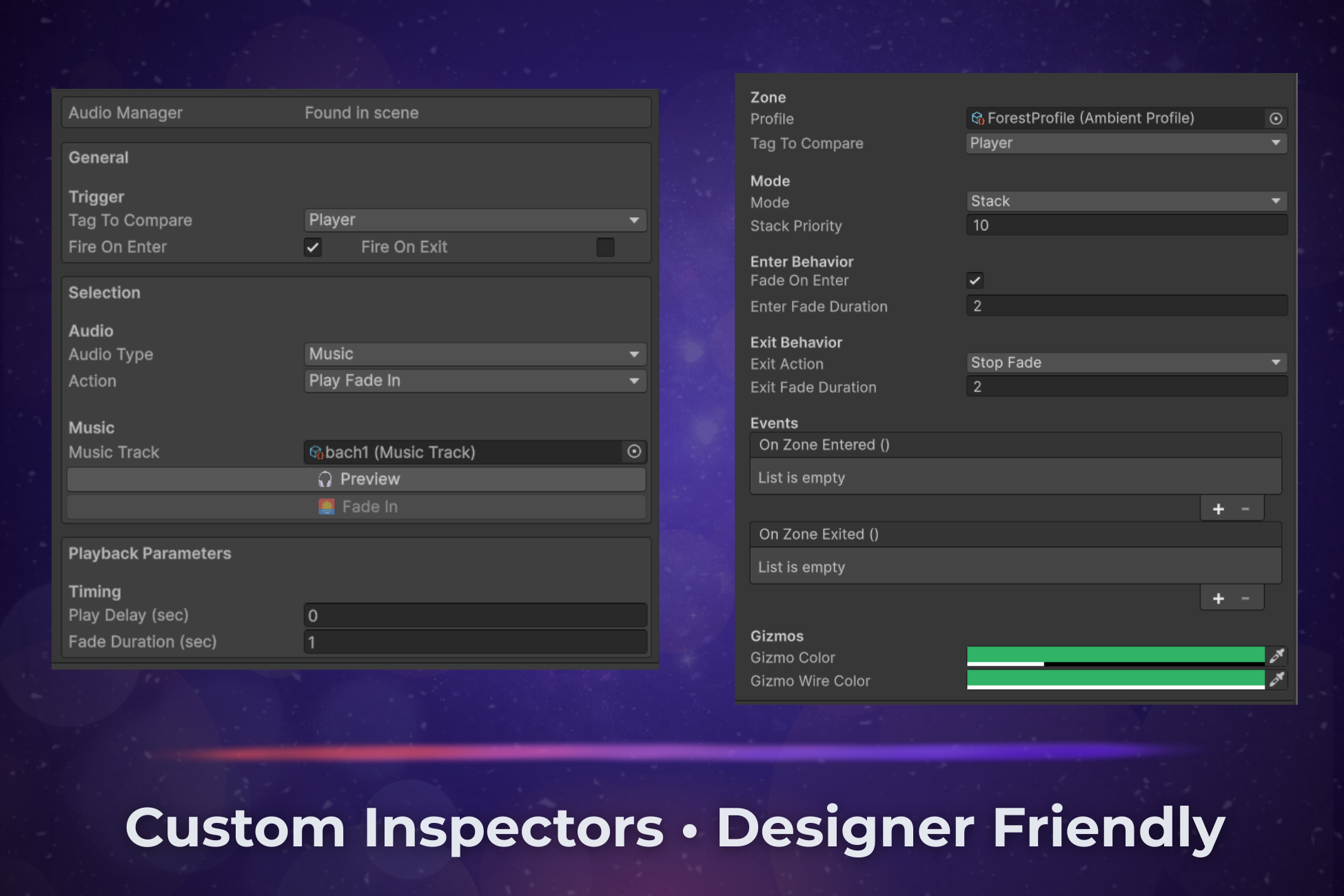
You place AmbientEmitter components in the scene — one at the river, one in the cave, one near the fire. Each one knows what track it represents. AmbientProfile assets define what a location should sound like as a mix: forest wants birds at 100%, wind at 40%, fire silent. AmbientZone trigger volumes apply profiles when the player walks in — no scripting required on the zone itself.
Profiles stack. A forest zone, a rainstorm zone, and a cave entrance zone can all be active at once. The manager scores every emitter by priority and distance, picks the most relevant ones up to a voice budget, and smoothly fades the rest out. It just works.
Everything else
- Music crossfades with
CrossFadeMusic— no silent gap, two sources blending simultaneously - UnityEvent hooks for music started / stopped / finished naturally, SFX played, ambient profile pushed / popped — wire them in the Inspector to drive UI or cinematics without writing any code
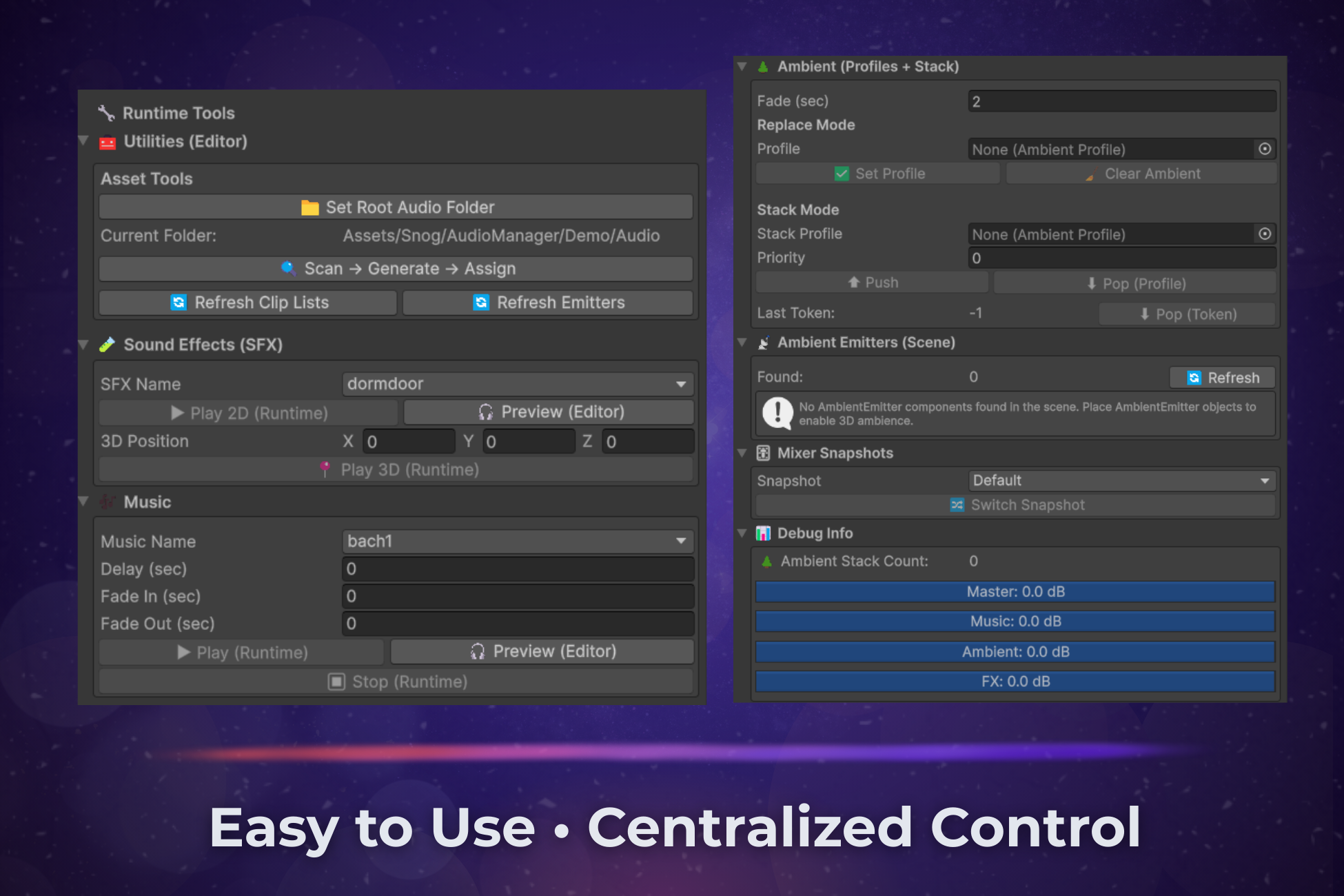
- Runtime testing panel in the AudioManager inspector — play sounds, push profiles, watch dB meters, browse scene emitters, all without entering play mode
- Pool exhaustion warnings — if your 3D SFX pool runs out, the console tells you exactly which sound dropped and which field to increase
- AmbientZone events —
onZoneEnteredandonZoneExitedif you want to drive non-audio things from the same trigger volume - AudioTrigger component — inspector-driven SFX, music, and ambient events on any collider, zero code
- Full source code included
Requirements
- Unity 2022.3 LTS or newer
- AudioMixer with four exposed parameters (MasterVolume, MusicVolume, AmbientVolume, FXVolume)
- No third-party dependencies
Who's it for
Indie devs who want to stop thinking about audio infrastructure and start thinking about audio. Projects where the world needs to feel alive — open world, horror, survival, exploration, anything with layered environmental sound. Teams where a level designer should be able to change what a zone sounds like without touching code.
Made by Pedro Schenegoski — questions and feedback welcome at snogdev@gmail.com
Purchase
In order to download this asset pack you must purchase it at or above the minimum price of $14.99 USD. You will get access to the following files:
Leave a comment
Log in with itch.io to leave a comment.